Integrations overview
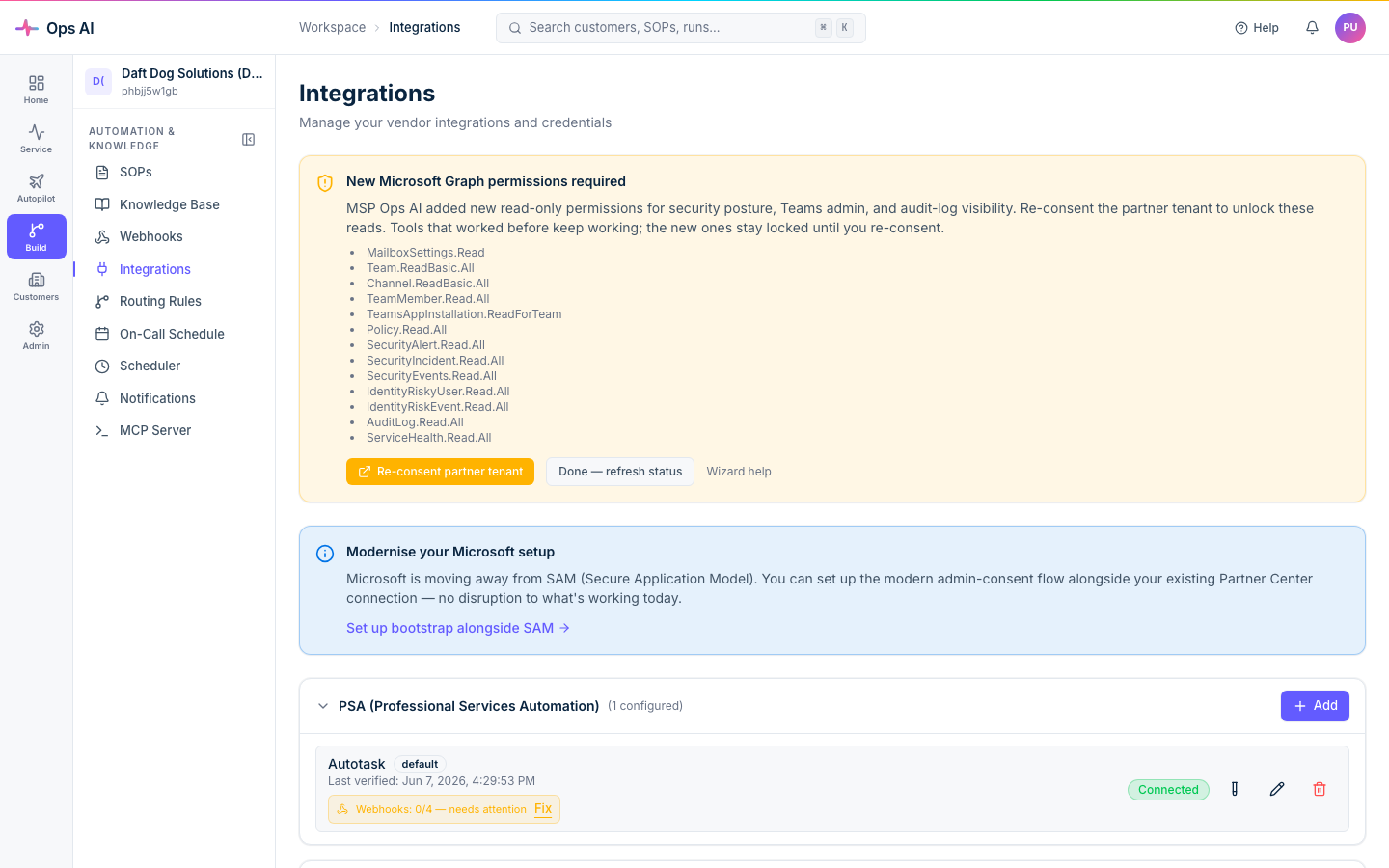
Every useful thing the platform does happens through a vendor integration. Open Integrations (/app/integrations) to manage them.
Supported vendors
Every write below is gated by the write-safety stack — off by default, drafted by the AI, and (for a propose-only customer) approved by a human before it applies.
| Vendor | Type | What we do with it |
|---|---|---|
| Autotask | PSA | Read tickets, companies, resources. Write ticket updates, time entries, notes, tasks, config items. |
| Datto RMM | RMM | Read device inventory, alerts, monitor state. Reboot devices, run scripts/jobs, isolate, mute alerts. |
| Datto EDR | Security | Read incidents, alerts. Isolate/release endpoints, release quarantined files, manage incidents. |
| IT Glue | Documentation | Read docs, configs, contacts, passwords. Gated write, incl. password-vault writes — see per-vendor. |
| Pax8 | Marketplace | Read order history, subscription state. Change subscription quantity, cancel, place orders. |
| UniFi | Networking | Read site / device / client inventory. Reboot devices, manage WLANs/networks, firewall + port-forward rules. |
| Microsoft 365 | Productivity (CSP / GDAP) | Read users, groups, mailboxes, license state. Lifecycle + Intune + Teams write ops via Graph. |
Connecting a vendor
- Click + Add in the appropriate category and choose the vendor.
- Paste credentials. Each vendor needs different fields — Autotask wants username + integration code + secret, Datto RMM wants API key + endpoint, IT Glue wants an API key, etc.
- When authorised to configure or test the integration, use Test connection and inspect the result. It calls the vendor and can update saved health state; it is not passive inspection. Errors may be sanitised.
- Save. Credentials are encrypted at rest using Fernet symmetric encryption; the encryption key is held in Azure Key Vault separately from the database, and credentials are decrypted only at API-call time.
Each verified instance shows a green Verified badge, the last verification timestamp, and inline edit / delete controls.
Microsoft 365 / CSP doesn't use the same form — it uses the dedicated CSP/GDAP wizard (/app/csp-wizard). See Customers & onboarding.
Vendor-specific notes
IT Glue — EU accounts
IT Glue hosts accounts on two separate servers. If your IT Glue account is on the EU server, you must enter https://api.eu.itglue.com as the API Base URL. If you leave the URL blank, the system will automatically detect the EU endpoint when you click Test connection and advise you to update the URL. US accounts do not need to set a URL.
Default instance
Non-PSA categories can have multiple instances, with one marked default for calls that name no specific instance. PSA is limited to one integration record per MSP, including disabled/historical records. PSA self-service disconnect/reconnect is unavailable; contact Ops AI Support rather than deleting a record or creating a second account.
Integration status
The Integration Status page (/app/integrations/status) provides a health dashboard showing the connection status of all your integrations at a glance. Summary cards show how many integrations are connected, disconnected, or need attention. Per-integration rows show:
- Last verified — when the integration was last successfully verified (on save or via Test connection).
- Status badge — green (healthy), amber (warning), red (failing).
- Most recent error — the available, sanitised diagnostic information, if any.
The Last verified timestamp records connection verification; it is not proof that every vendor operation works now. Do not assume every MSP has a scheduled background check. Where an integration-health scheduled job is configured and enabled, its results are separate from manual verification and API-call telemetry. Inspect the timestamp and source of each signal. A connection test can change health records, so an assistant doing a read-only inspection should report stale/unknown health rather than click it without permission.
Separately, every real vendor API call the platform makes is recorded as integration telemetry and rolled up periodically, so the console's Activity view reflects live call volume, latency, and error rates — not just the last verification.
Webhooks
Most PSA / RMM / EDR vendors push real-time events to Ops AI via webhooks. Each registered webhook gets a unique URL and a secret key — copy both and configure the webhook in your vendor's admin panel.
The Webhook Events page logs every received event with source, status, timestamp, and a payload preview. Counters at the top of the page break down the stream into Processed, Failed, Received, No route, and Dead letter buckets so you can spot routing gaps at a glance.
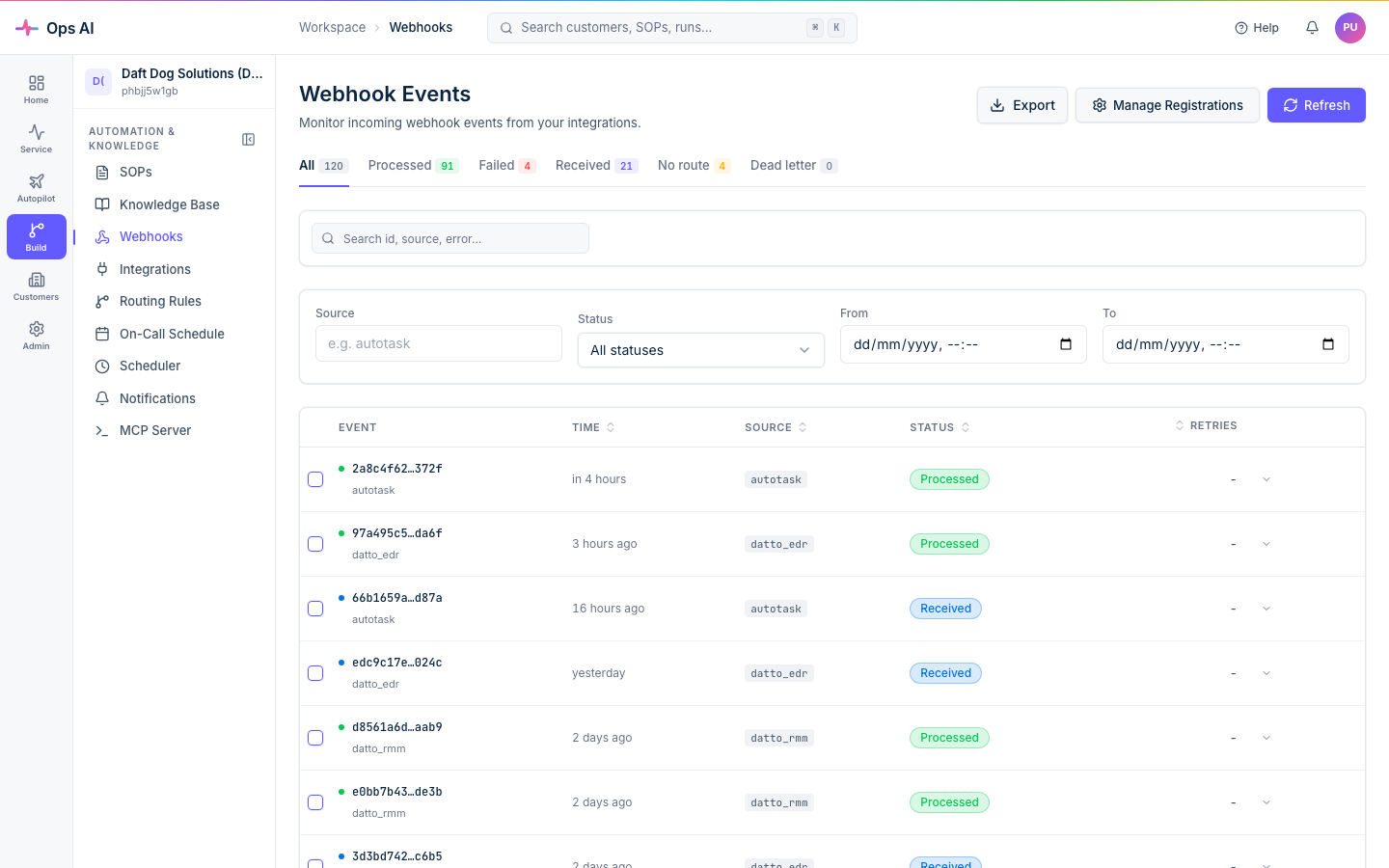
Retry eligibility depends on the event state and failure. Inspect the event and Failure Analysis before taking action; a failed event may have earlier successful side effects.
Replay creates a new event and can repeat vendor effects. It is not a read-only diagnostic or a safe response to an unknown write outcome. Reconcile prior effects and obtain the applicable authority first. See Webhooks.
What's next
If a connection fails or an integration starts misbehaving, head to Troubleshooting.