Welcome to Ops AI
Ops AI is a multi-tenant SaaS platform for MSPs. It takes the routine, well-defined work an MSP tech does across their vendor stack — triaging tickets, correlating alerts, provisioning users, responding to security events — and automates it through a combination of Standard Operating Procedures (SOPs), an AI Copilot, and direct vendor integrations.
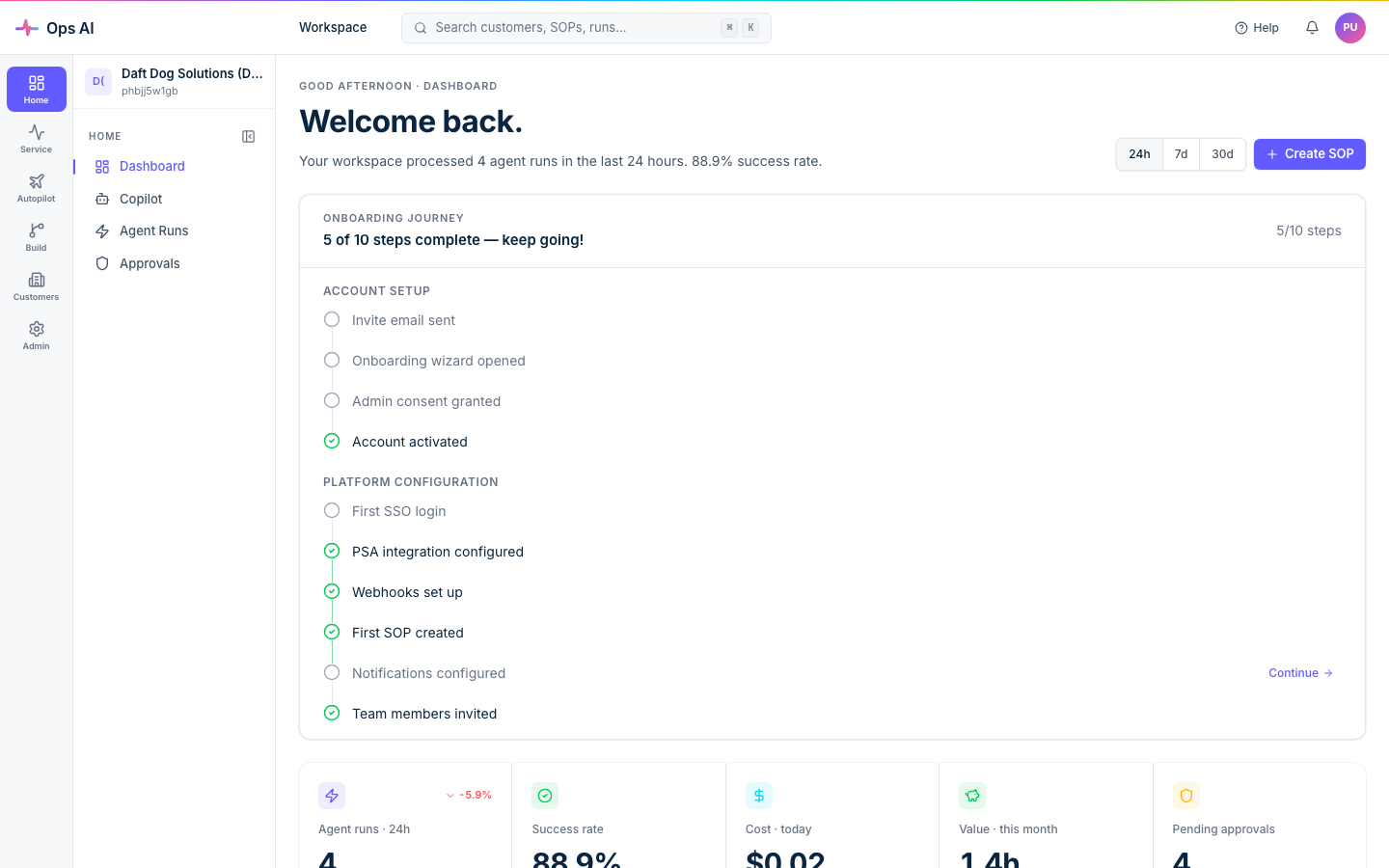
This documentation site is the public reference for end-users of the platform. If you're an MSP admin or tech setting up the product, you're in the right place.
What you can do with Ops AI
- Run SOPs automatically. Author a procedure once, then have it executed against incoming PSA / RMM / EDR events without anyone clicking through five vendor portals.
- Talk to your stack in plain English. The Copilot AI can search tickets, list devices, draft tenant-wide reports, and run multi-step write actions — gated by the same approval flows as your SOPs.
- See where your time goes. Per-customer cost rollups, per-tool usage breakdowns, and shareable customer summaries are baked in.
- Review proposed changes. Customer and tool policies govern writes. Integration credentials are stored encrypted in the database; the encryption key is managed separately. Check the execution result after any approval.
How this site is organised
- Getting started — Sign up, connect your first vendor, and run your first SOP. Start here if you're new.
- Integrations — Per-vendor connection notes plus a troubleshooting guide for the most common failure modes.
- FAQ — Short answers to the questions we hear most often from MSPs evaluating or starting out on the platform.
Need a hand?
- Email [email protected] for product support.
- Help Center in the app links to this documentation site; its search opens the documentation search. Do not put customer secrets or private ticket content into a public help search.
- For an initial PSA evaluation, follow the Autotask walkthrough.
- Customers on the Professional plan have a named Ops AI account manager — your onboarding email has the contact details.
Ready? Head to Dashboard tour for the 60-second introduction.